You are here
Social networking just got Pinteresting
Recently you may have heard about the new Social Network that’s making a buzz in the online world, but have you heard that it’s causing traffic increases to business websites that beat Google+, YouTube & LinkedIn combined? It’s called Pinterest, and in my opinion it’s fantastic! I’ve put together this super simple starter guide that you need to know before starting with Pinterest.
First, what is Pinterest?
At its most basic, it’s an online public scrapbook. It encourages people to collect inspirational images from around the web, and place them onto neatly displayed photo galleries referred to as boards which then become part of their collection, and are also visible by others. The idea isn’t to share your family pictures, it’s to share things you find online like artwork, recipes, crafts, gift ideas and designs for your home and lifestyle.
Is there any Pinterest lingo that I need to know?
As with all new Social Media you’ll need to learn the lingo, it’s best to know your tweets from your twits, and replies from your retweets, Pinterest is much simpler, but here’s just a few key phrases to help:
Boards – These are the galleries of your images, they’re displayed like Pin-up boards, hence the name
Pin it – This is the action of putting an image onto one of your boards. If you like an image on a website, you have to “Pin it” to add it to one of your boards
Pinners – People who pin
Follow – To add someone to your preferred list, so you can keep track of the things they pin
Re-pin – To add an image you find on someone else’s pin board to your own collection
How does it work?
Again Pinterest is much more simple than most Social Networks around at the moment. The home page has an image feed pulling in all the images pinned by people already. You can filter and search the images shown by category, or by keyword as you would expect. When you see something you like, you Pin it to one of your boards and at a later stage when you want some inspiration, whether it be for decorating or an event, simply log in and remember all the wonderful things that you’ve found, and would have forgotten about, was it not for the wonderful Pinterest.
So how would I personally use Pinterest?
Here’s an example: If you were planning a dinner party in the next few months and were looking to collect some ‘wow’ ideas you could use Pinterest to gather inspiration. You could set up a few boards called “Food”, “Drinks” and “Appetisers” and then throughout the next few months you can either:
- Visit Pinterest, see which images people have already added and copy them to your own boards. Try searching for ‘table decoration’ or ‘canapes’ to see what people have pinned in specific areas, or just browse to get a broader inspiration
- As you search the web day-to-day, if you come across something that you think looks yummy you can press the easy to install ‘Pin it’ button in your web browser’s toolbar and Pinterest pops up and asks you which board you’d like to add the image to
- Add a pin to your board using a photo taken from your phone using the Pinterest App
Then, the week before the dinner party you can log into your Pinterest and you’ll have your very own inspiration board. If you look through the images and you decide on something you would definitely want to use, simply click on the image ard there will be a link back to the website it was originally taken from, so you can research it further, grab the recipe or find out where to buy.
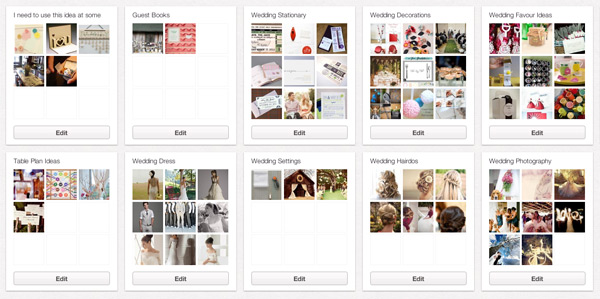
As you might imagine, it’s fantastic for wedding planning, collecting rainy day ideas for things to make with your children, design or fashion inspiration, interior design ideas; basically anything that is creative or visually exciting, the list is endless!
How can a business use Pinterest?
Pinterest states that it is not a platform for self-promotion and so you can’t get a page like you can on Facebook and advertise yourself as a business. However if you think slightly out of the box there are ways that you can use it to your benefit.
The kinds of businesses that will find this platform particularly useful will be shops, restaurants, artists, designers and basically anyone that creates or sells something that has some sort of visual wow factor.
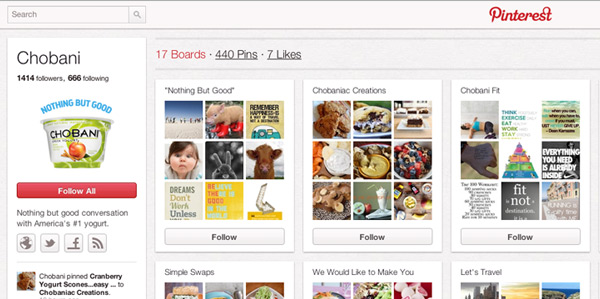
Here’s some ways that could use Pinterest as a business:
- Mood boards: You can create your profile as your brand (they seem to allow logos as profile pics at this stage) and add things that people interested in your brand might also be interested in. Some suggestions could be:
- If you own a hotel or travel shop, you could pin images of the surrounding town and attractions.
- If you own a restaurant you could photograph the local market where you buy the fresh veg.
- If you’re a clothes shop you could add the latest fashion images to help create mood boards that suit the style of clothes that you sell with the accessories and hair styles that would suit the clothes.
- If you sell house gifts or furniture, create mood boards to help see how your products fit into different scenarios, with a mixture of paint swatches, fabric shots and interior design photos, from other pinners.
- If you’re a hairdresser you could pin the latest styles onto boards called “Long hairstyles”, “Wedding hairstyles” etc and use them to show customers trying to decide which hairstyle to go for.
- Groups can collaborate. You may have a team of people or a band of loyal followers who could all use Pinterest to add to boards that you create. We’ve even heard that teachers are using it to get students to add examples of inspiration so that they can use the boards in lessons.
- Market research: If you own a shop that sells fancy homeware, for example, you can go to your manufacturers’ site and Pin your favourite products, even if you don’t stock them. You could show all the products you’d like to sell and see what sort of feedback you get. If a certain type of product starts getting comments and repins you could know to start stocking that item too. You can also get a great feel for the tastes and wants of users who match your target market’s profile.
- Portfolio: If you’re a designer or a photographer you could add preliminary sketches, or images of the photoshoot, as opposed to just pinning your own portfolio of work. You could add your favourite artists or create boards with inspiration for the type of things that you’d like to be doing to get your clients inspired to let you do something out of the box.
- Encourage repins from your website: So you’re not supposed to really add your own things as pins, but there’s nothing stopping other people doing it for you! You could try telling people on your website that if they pin 10 of their favourite products from your site and then add them to a board, and send you the URL they’ll be entered into a competition. This could potentially add hundred or thousands of links back to your website. Or make use of the “Pin it” button (similar to Facebook Like or tweet this buttons) so that people using your site can easily add your products to their boards. As more & more people start using Pinterest this will be an easy prompt for them to keep track of anything of yours they like.
Last, some neat things to know about Pinterest
- Approximately 70% of pinners are female
- Each time you pin something it will automatically get added to the top of the list for everyone in the world to see
- You can follow people or individual boards. This means you can choose to just see what your friends have pinned, or switch back to seeing what everyone has pinned
- There’s a search facility so you can search ‘bathroom ideas’ or ‘green décor’ and just see what other people have already added
- You can comment on anyone’s images and of course repin them to your own boards to keep them for later